Position in Rating | Overall Rating | Trading Terminals |
100th 
| 2.3 Overall Rating | 
|
uSMART Review
uSMART presents itself as a global online brokerage platform focused on making investing simpler for everyday users. Compared to other online brokerages, uSMART aims to stand out with its accessibility, innovative technology, and user-friendly features. On its official website, the broker highlights access to products like stocks, options, ETFs, REITs, and ADRs, along with tools designed for both beginners and more active traders.
One of the main things that stands out in this uSMART review is the broker’s focus on multi-market access and app-based investing. uSMART also promotes features such as fractional shares, smart order tools, market data, and investor education content, which can be helpful for users who want an all-in-one platform experience.
From a trust and background perspective, uSMART states that it was founded in 2018 and lists licensed entities in Hong Kong and Singapore on its website under the uSMART Group. While this regulatory status is a positive sign for credibility, it is important to note that more established platforms often have a longer track record and stricter regulation, which may appeal to investors seeking additional reliability. Platform quality, pricing value, and real user experience still need a closer look in the next sections of this uSMART broker review.
What is uSMART?
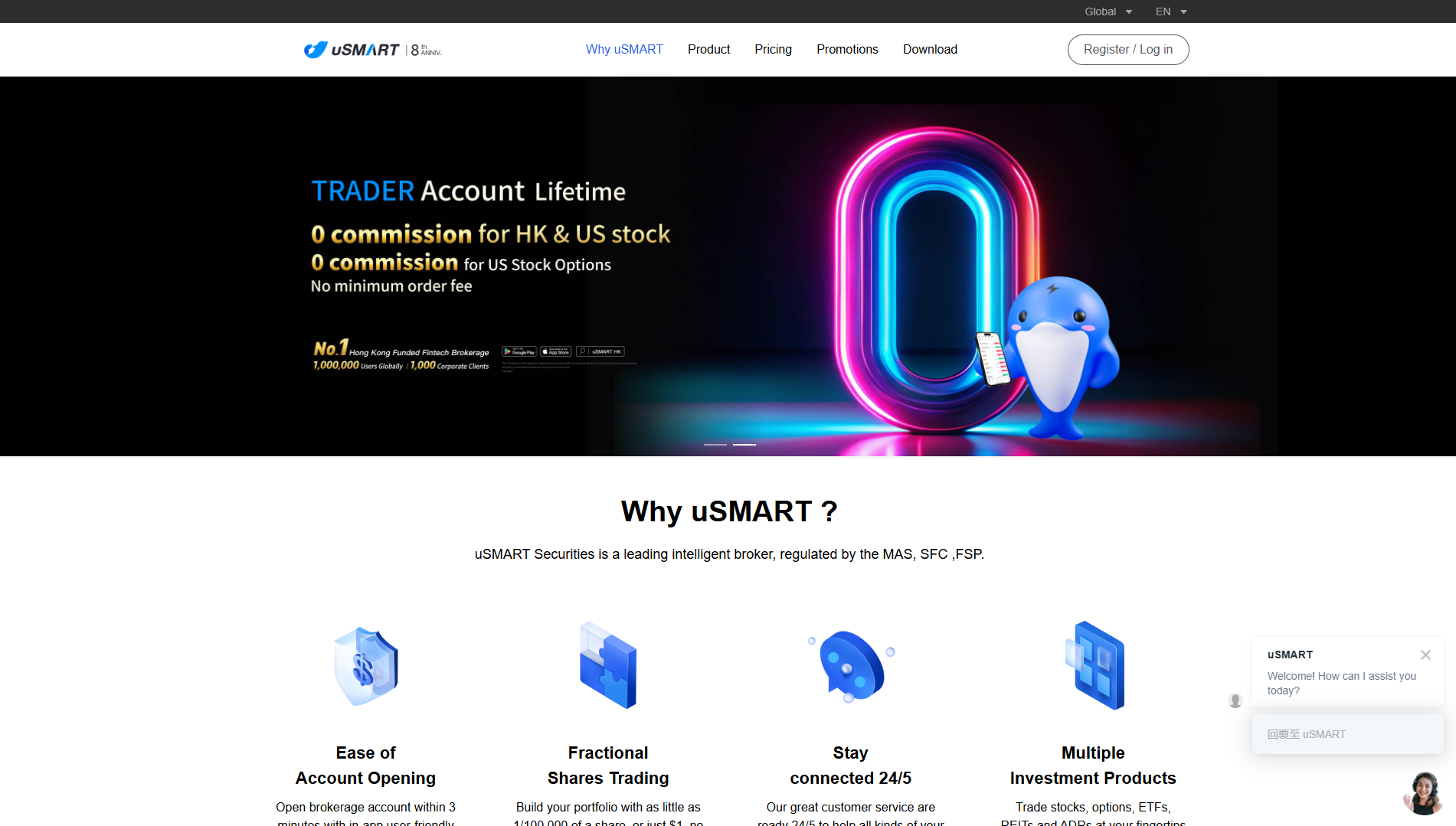
uSMART is an online brokerage platform and investing app that promotes itself as a smart trading and easy investing solution for retail investors. On its official site, the company positions the platform as a one-stop service for trading products such as stocks, options, ETFs, REITs, and ADRs, with tools designed to make investing more accessible.
In practical terms, uSMART focuses on a mobile-first experience with features like fractional shares, smart order functions, market data tools, and in-app learning content. This is a strong point for beginners who want convenience, but it also means the real value depends on how reliable the app, pricing, and execution quality are in daily use.
uSMART also presents itself as a regulated brokerage group with entities listed in Hong Kong and Singapore, which supports its credibility as a broker rather than just a trading app. For this uSMART review, that gives a solid starting point, but the next sections should still examine fees, platform usability, and limitations in detail before making a final judgment.
Benefits of Trading with uSMART
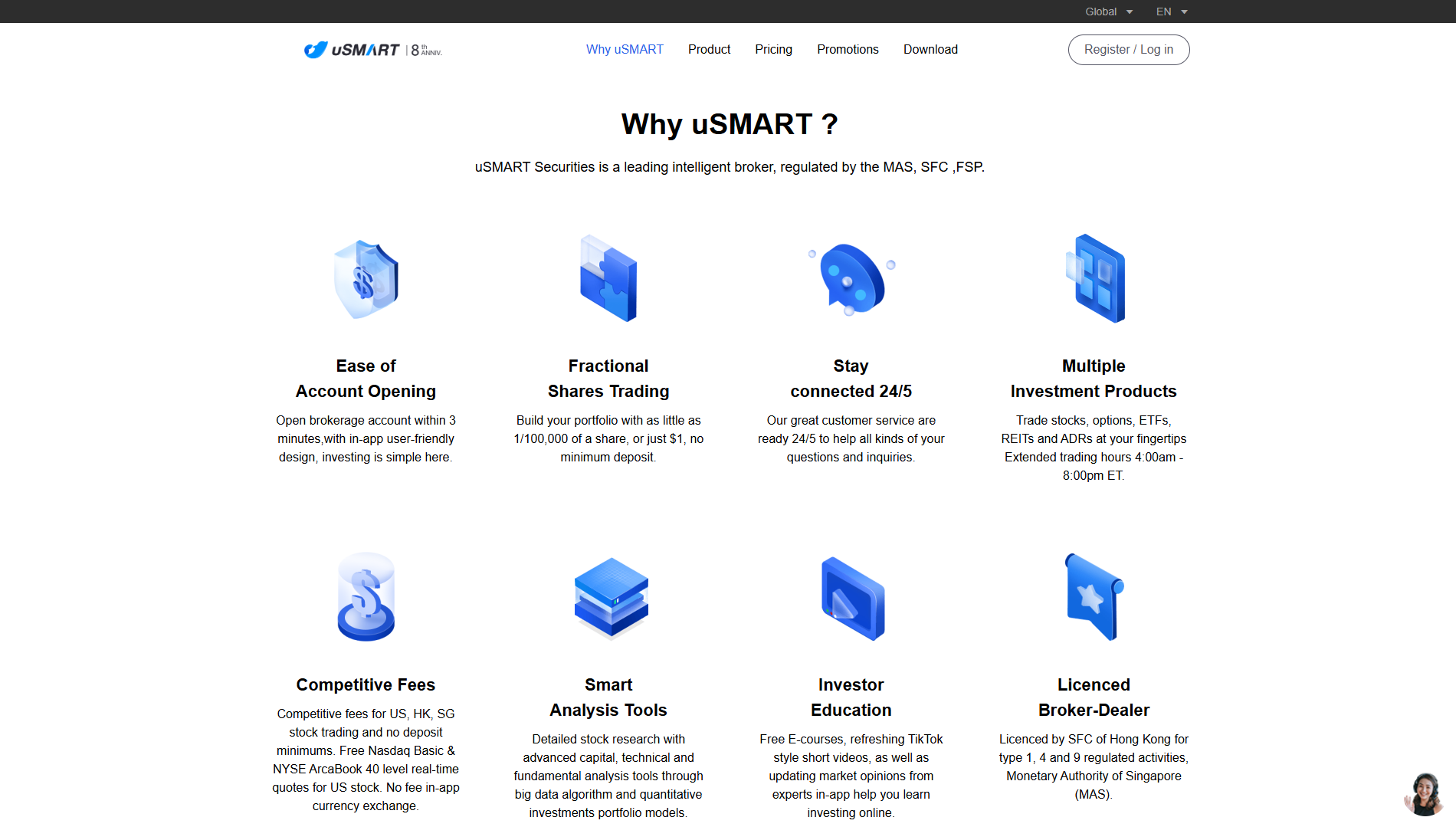
One of the main benefits of trading with uSMART is its focus on easy access for retail investors. On its official website, uSMART highlights fast account opening, a user-friendly app design, and no minimum deposit, which can make it easier for beginners to start investing.
Another strong point in this uSMART review is the broker’s broad product range. uSMART offers access to stocks, options, ETFs, REITs, ADRs, and also lists forex and derivatives products, so users can trade different asset types—including the ability to trade stocks across multiple markets such as the US, Singapore, and Hong Kong—all in one platform instead of using separate brokers.
uSMART also promotes cost-friendly trading features, including competitive fees, free selected real-time U.S. market quotes, and no in-app currency exchange fee. The platform also supports fractional shares from as little as $1, which is a practical advantage for users with smaller capital. uSMART claims to offer some of the lowest commission fees for stock trading, especially when compared to major brokers like IBKR and Saxo, making it a cost-effective choice for those looking to trade stocks.
A further benefit is the platform’s built-in tools and learning support, such as smart order features, market data, analysis tools, and investor education content. These features can be especially useful for users interested in stock trading, helping them make informed decisions and improve their trading strategies. That said, while these benefits look good on paper, traders still need to check if the tools, spreads, and execution quality match their own trading style in real use, especially for fast-moving markets.
uSMART Regulation and Safety
In this review, the broker’s biggest trust signal is its stated regulatory coverage. On its official pages, uSMART says its Hong Kong entity is licensed by the SFC for multiple regulated activities, with authorization from the Securities and Futures Commission (futures commission), and its Singapore entity is licensed under the Securities and Futures Act by the MAS.
That is a strong positive for credibility because it shows uSMART is presenting itself as a regulated brokerage group, not just a trading app. The website also lists its group background, including a 2018 founding date and headquarters presence in Singapore and Hong Kong, which adds more context for users checking broker legitimacy.
On the safety side, uSMART’s privacy policy says it uses security measures and internal security processes to protect user information, and it mentions emergency response plans for data incidents. It also states that there is no perfect security measure on the internet, which is a realistic and important disclosure for users.
There are also points traders should read carefully before opening an account. uSMART’s privacy policy explains that personal data may be shared with affiliated companies and authorized partners for service delivery, and it also notes data storage and transfer terms that users should review closely.
Overall, uSMART’s regulation profile looks like a clear strength in this section, especially with the SFC and MAS licenses shown on the official site. Still, safety is not only about licenses, so users should also check the exact account protections, dispute process, and data handling terms that apply to their region before funding an account.
uSMART Pros and Cons
Pros:
- Wide market access in one platform. uSMART lists stocks, options, ETFs, REITs, ADRs, and other products, which is useful for users who want to manage different assets in one app.
- Low entry barrier for beginners. The platform promotes no deposit minimums and fractional shares from as little as USD 1, which helps smaller accounts start investing.
- Strong feature set for app users. uSMART highlights smart analysis tools, investor education, and real-time quote features, which can support both learning and day-to-day trading decisions.
- Extended U.S. trading hours support. The official site states extended trading hours for U.S. markets, which is a practical benefit for users trading outside regular market sessions.
- Clear regulation signals on official pages. uSMART publicly lists licensing information tied to Hong Kong SFC and Singapore MAS, which is a positive trust factor for a broker review.
Cons:
- Fees can be complex for new traders. uSMART’s pricing pages include multiple fee categories, package tiers, and market-specific charges, so beginners may find the fee structure hard to understand at first.
- Promotional pricing may not be permanent. The site mentions promotional terms for some commissions, which means traders should confirm the latest rates before relying on headline pricing.
- Region-specific charges can affect total cost. The pricing page includes extra taxes and GST notes for certain users and markets, so the final trading cost may be higher than the base fee shown.
- Some features vary by entity or location. uSMART operates through different regional entities and pages, so available products, pricing, and tools may differ depending on where the account is opened.
- Official claims still need user-level testing. The platform promotes smart tools and smooth investing, but actual execution quality and app reliability can only be confirmed through real trading experience.
uSMART Customer Reviews
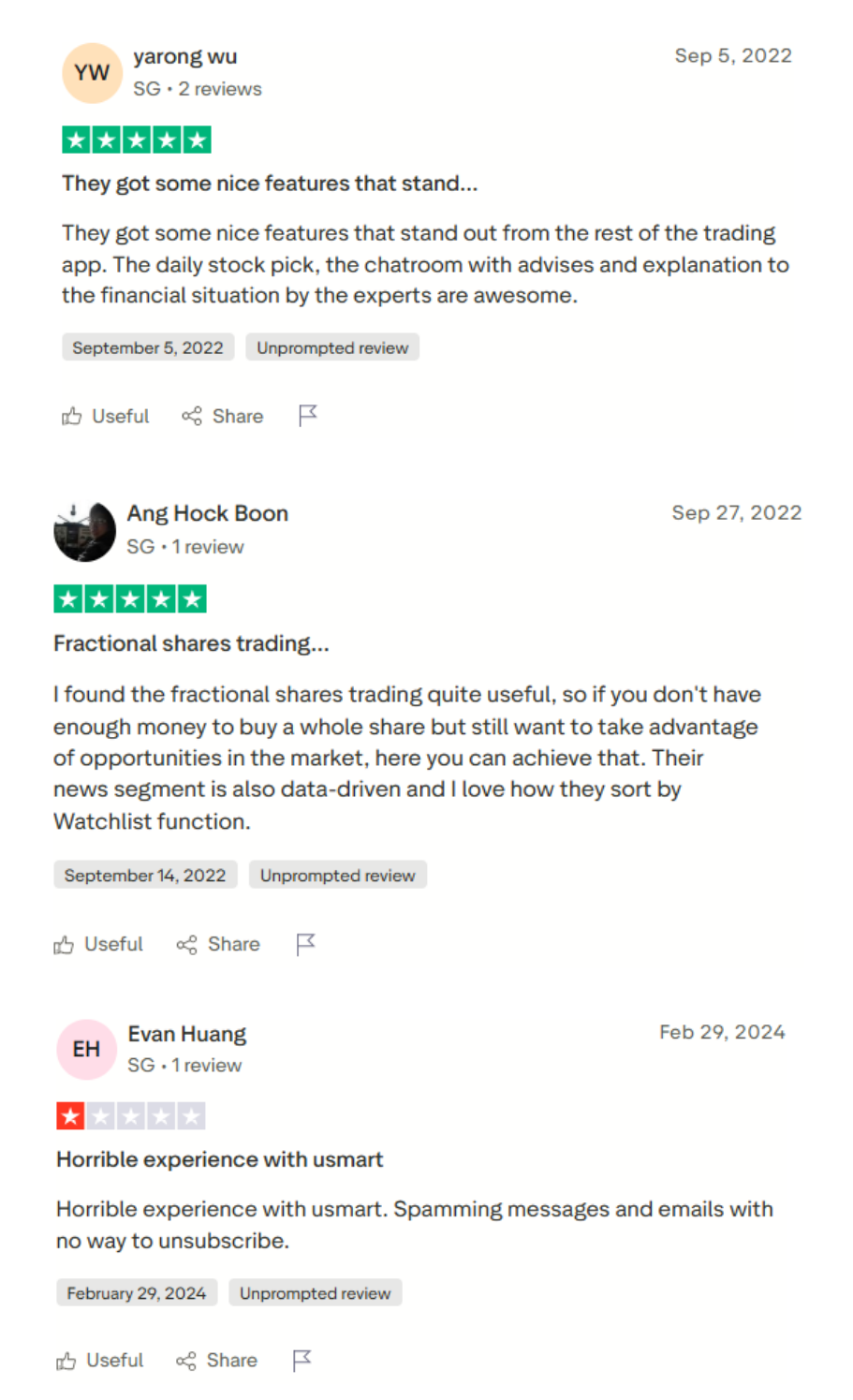
Customer reviews for uSMART show a mixed public sentiment, which is important in any uSMART review. On Trustpilot, the usmart.sgprofile is listed with a 2.0 TrustScore from 13 reviews at the time of checking, which points to generally weak user satisfaction on that page.
That said, review platforms should be read carefully because they reflect user experiences, not a full audit of the broker. Trustpilot itself also notes that it uses screening technology and does not fact-check every individual review claim, so traders should treat third-party ratings as one part of the research process, not the only basis for a decision.
On uSMART’s official website, the company displays positive user testimonials that highlight features like low costs, fractional shares, educational tools, and an easy-to-use app interface. These are useful for understanding what the broker wants to emphasize, but official testimonials are naturally promotional and should be balanced with independent feedback.
For a fair broker review, the best approach is to compare customer comments with what uSMART publicly offers, such as its product range, support hours, and platform tools. uSMART’s site promotes 24/5 customer service and multiple investment products, so traders should test whether the real experience matches those claims before committing significant funds.
Overall, the customer review picture for uSMART is not purely positive and deserves caution, especially for first-time users. The smart move is to start small, check the app experience, and confirm fees and support quality in real use before scaling up.
Account Types
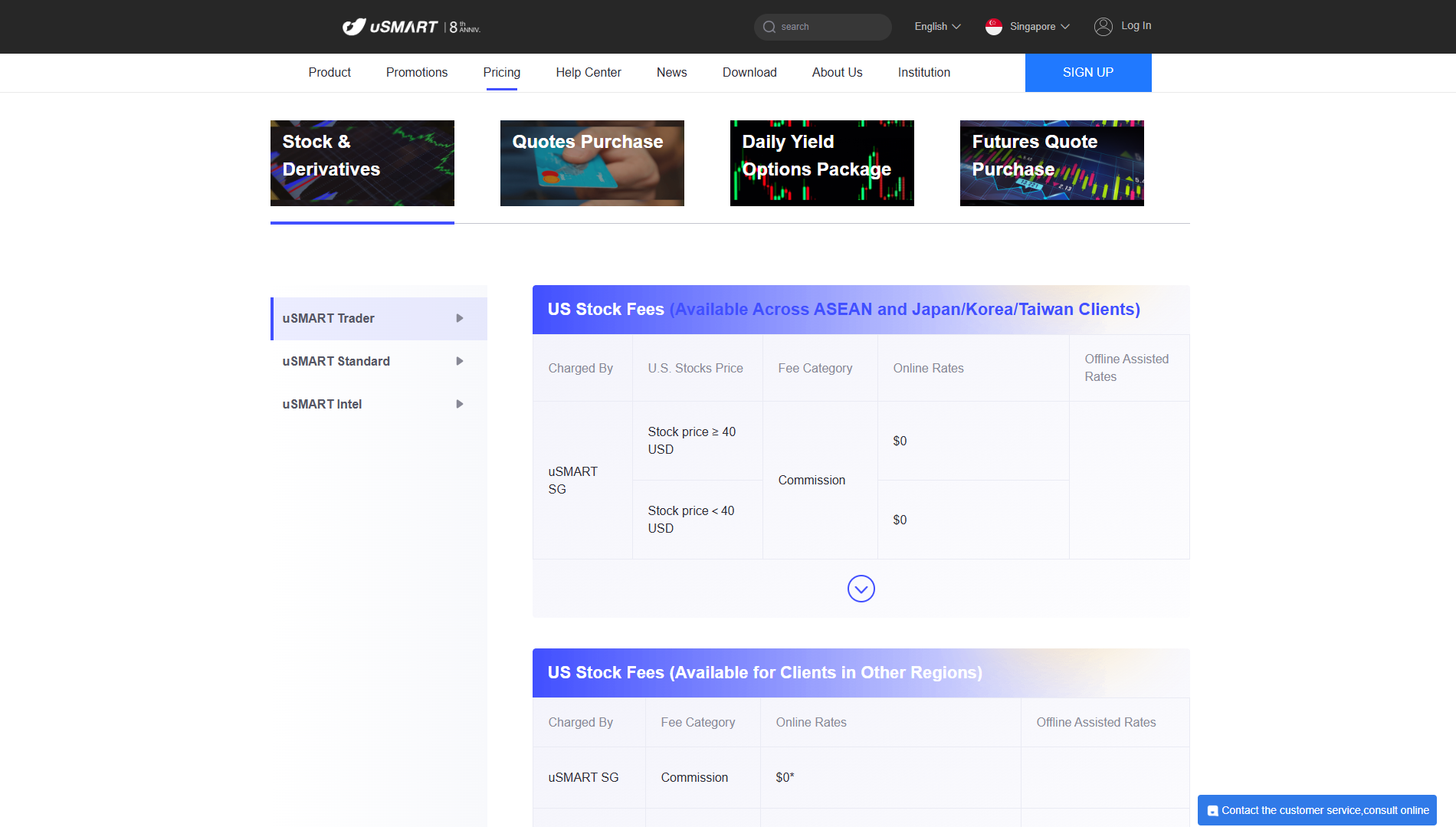
uSmart Trader
- uSMART Trader
Listed as one of the core pricing tiers on the uSMART SG pricing page. - Lower platform fee example for U.S. options promo
In the U.S. options promo snippet, Trader is shown with a USD 0.40 platform fee per contract and no minimum for that promo line. - Built for active fee-sensitive trading
The Trader tier appears positioned as a more cost-competitive package for users who care about lower per-trade platform charges.
uSmart Standard
- uSMART StandardListed as the second pricing tier on the SG pricing page, with its own fee tab. Standard account holders gain access to premium features such as trend track for technical analysis and market trend identification, as well as the value screener within the Discover tab, providing advanced investment insights and opportunities not available with the basic Trader account.
- Separate fee schedule from TraderThe pricing page and search snippets show Standard has a different platform fee structure than Trader, which confirms it is a distinct pricing package.
- U.S. options promo example availableIn the options promo snippet, Standard is shown with a USD 0.50 platform fee per contract and no minimum for that promo line.
uSmart Intel
- uSMART Intel
Listed as the third pricing tier on the SG pricing page, also with a dedicated fee tab. - Own pricing structure
The Intel fee tab shows a separate commission and platform fee setup, which indicates Intel is a different cost tier from Trader and Standard. - Useful for users comparing package costs
Intel is best reviewed by checking the latest fee table directly on the pricing page, since uSMART’s pricing can include market-specific charges and promotional terms.
How to Open Your Account
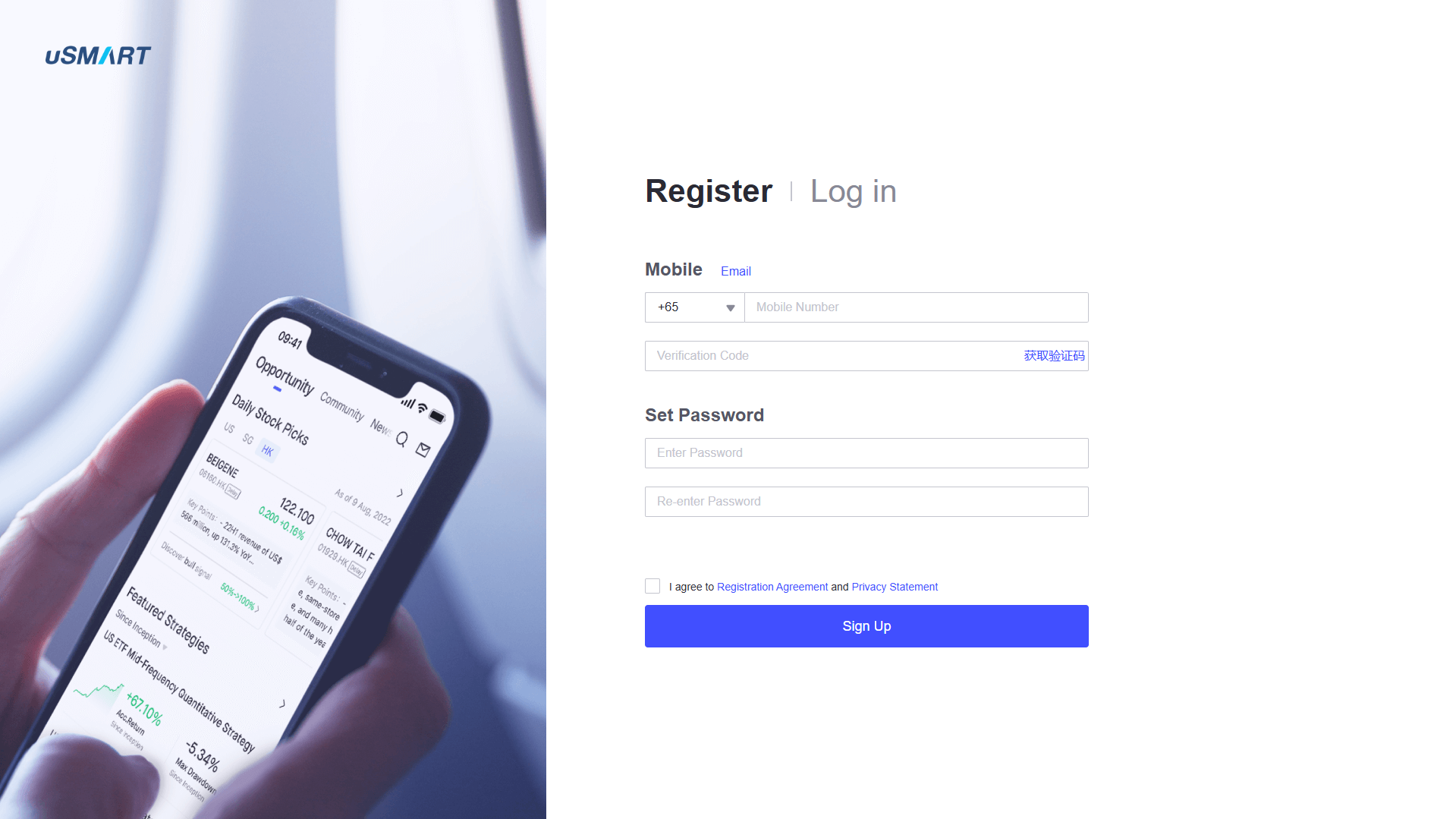
1. Sign up on the uSMART registration page
Go to the uSMART sign-up page and choose whether to register with your mobile number or email address. The page also shows country or region code options, which helps users start the account setup correctly.
2. Create your password
After entering your contact details, set a secure password for your new uSMART account. This is the basic login step that prepares the account for the next part of registration.
3. Agree to the registration terms
Before completing registration, the page requires agreement to the Registration Agreement and Privacy Statement. This is an important step because it covers account terms and how personal data is handled.
4. Click the Sign Up button
Once the details are filled in, click Sign Up to submit the registration form. The page is designed as a quick registration flow, which matches uSMART’s claim of easy account opening on its official website.
5. Complete account verification and onboarding details
After sign-up, users usually need to complete the remaining onboarding steps inside the app or platform, such as identity checks and account information, depending on the region. uSMART promotes an easy account opening process and a user-friendly app experience, but the exact verification requirements can vary by entity.
6. Log in and choose your trading setup
After the account is approved, users can log in and start setting up their trading preferences inside the uSMART platform. The official site highlights access to products like stocks, options, ETFs, and fractional shares, so the next step is choosing the products and tools that fit your goals.
uSMART Trading Platforms
uSMART is built around a mobile-first trading platform, with the official site heavily promoting app-based investing for everyday users. In this uSMART review section, the platform focus is clear: make trading easier through a simple interface, built-in tools, and access to multiple markets in one place.
One of the strongest platform points is uSMART’s all-in-one product access. The official product page highlights trading for stocks, options, ETFs, REITs, and ADRs, plus platform features like the ability to buy fractional shares, making high-priced stocks more accessible and affordable for users, and smart investing tools that are designed for both beginners and active users.
uSMART also promotes several trading tools inside the platform, including Smart Order, market data, and strategy features. The Smart Order feature is especially useful because the product page says users can set stop-loss and take-profit conditions, which helps with trade management even when not watching the screen all the time. Advanced order types such as Breakthrough Buy, Breakdown Sell, and Sell High are also available, helping automate trading strategies and allowing users to capitalize on specific market movements.
Another major platform strength is the broker’s focus on market data and analysis. uSMART’s site highlights free Level 2 U.S. market data and smart analysis tools, which can help traders review price action, liquidity, and potential entries more effectively. The Discover tab provides access to featured strategies, daily stock picks, technical analysis, and investment insights, serving as a centralized hub to help users make informed trading decisions and explore new opportunities.
For beginner traders, the platform also includes education features inside the app experience. uSMART promotes learning content, short-form educational videos, and market commentary, which is a positive for users who want to learn while using the same platform for trading.
The main limitation is that platform performance in real trading depends on execution quality, stability, and how well the features work under live market conditions. On paper, uSMART’s trading platform looks feature-rich and beginner-friendly, but users should still test the app and tools carefully before trading larger amounts.
What Can You Trade on uSMART
uSMART offers a multi-asset trading experience, which is one of the biggest selling points in this uSMART review. On its official website, the broker highlights access to stocks, options, ETFs, REITs, and ADRs through its platform, with access to major equity markets including the US, Singapore, and Hong Kong markets.
The platform also promotes fractional shares, which means users can buy a portion of a stock instead of a full share. uSMART’s product page says fractional investing can start from as low as USD 1, which is useful for smaller accounts and beginner investors.
For users trading through Singapore, uSMART’s help page shows a wider list of products depending on the market. It lists U.S. equities, ETFs, and fractional stocks, plus SGX products like equities, ETFs, REITs, warrants, and DLCs, along with access to HKEX, TSE, and LSE equities and ETFs. Investors can also trade hk stocks and access hk markets, providing regional exposure to Hong Kong markets.
uSMART Singapore also promotes more advanced products such as futures, funds, and CFDs on its local site, which can appeal to more experienced traders. The platform also offers mutual funds and options trading as part of its broader investment offering. Short selling is available for advanced traders seeking additional strategies. This is a strong advantage, but product availability may differ by region and entity, so traders should always confirm what is supported in their own account before funding it.
Overall, uSMART covers a broad range of tradable products for a broker in this category, especially for users who want stocks and options in one app. The main caution is to verify the exact product list, fees, and market access under the specific uSMART entity used for the account.
uSMART Customer Support
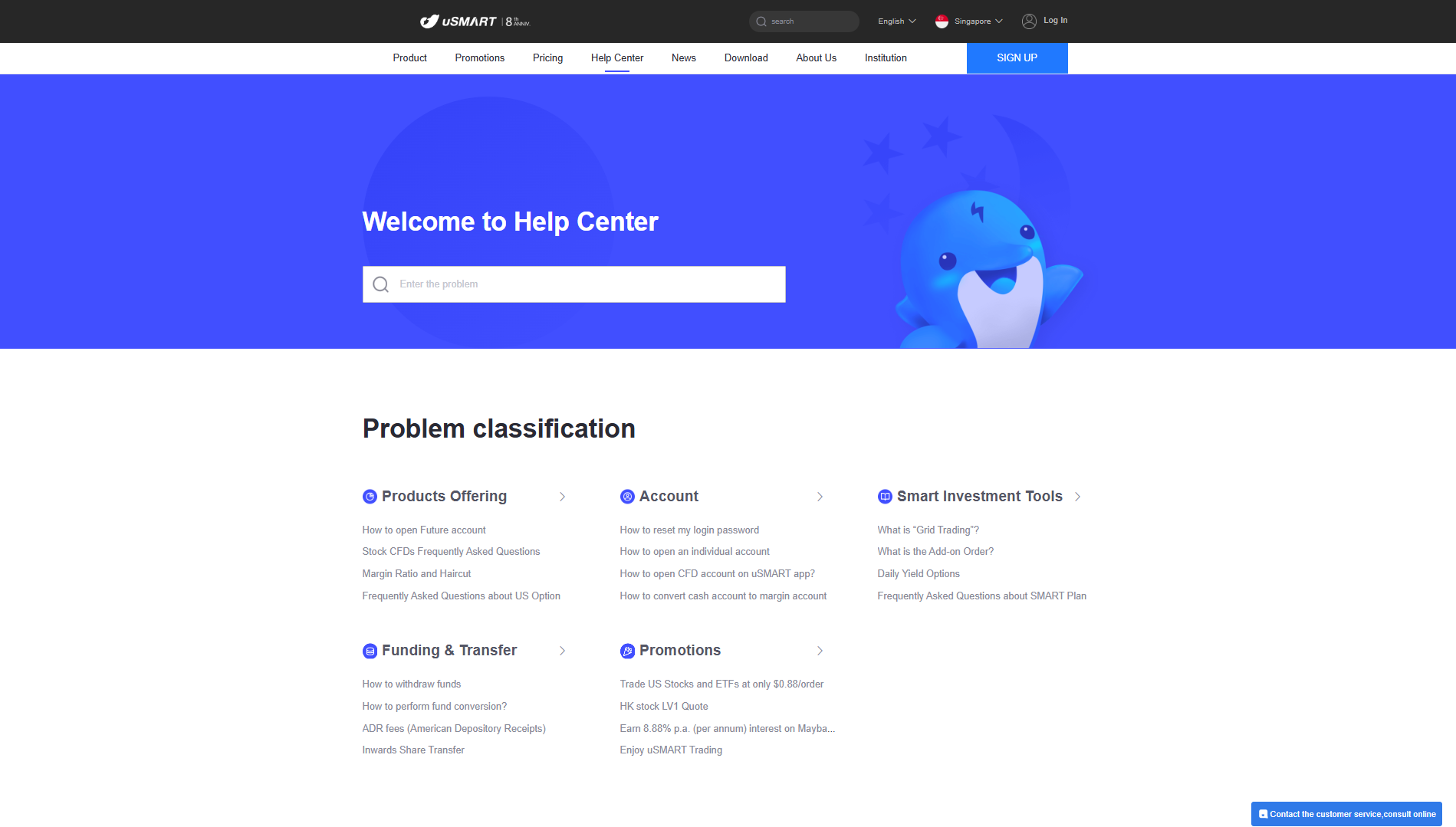
In this uSMART review section, customer support looks like a clear practical strength based on the broker’s official pages. uSMART’s global site highlights 24/5 customer service, which is useful for traders who may need help during active market hours.
The uSMART Help Center also lists multiple support channels, including phone numbers and email for both Hong Kong and Singapore users. On the global help page, the Singapore contact details include customer service numbers and a support email, which makes it easier for users to reach the team directly.
On the Singapore Help Center page, uSMART provides more detailed local support information such as hotline numbers, support email, and even a Telegram contact link. This is a good sign for accessibility because users can choose the contact method that fits them best.
uSMART also shows operating hours for its support desks, including a day desk and night desk schedule on the SG Help Center page. The page also says FAQs are available 24/7 through the app or website, which can help users solve common issues without waiting for an agent.
A positive detail in this uSMART customer support review is that the broker lists a physical Singapore office address and branch information on the SG Help Center page. That adds another layer of credibility, especially for users who prefer brokers with visible office details and local presence.
The main limitation is that listed support channels and hours do not automatically guarantee fast response quality or effective issue resolution. Traders should still test support responsiveness with a few basic questions before funding a larger account, especially for urgent concerns like deposits, withdrawals, or platform issues.
uSMART Customer Support Advantages and Disadvantages
 Advantages
 Disadvantages
Withdrawal Options and Fees
The broker provides a clear in-app withdrawal process and a published fee guide for fund withdrawals, which is a good sign for transparency. uSMART’s Help Centre shows that withdrawals are handled inside the app by going to Trade, then More, then Withdrawal.
For first-time withdrawals, uSMART requires users to enter their bank details and upload a bank statement that shows the bank account name and account number. This is a positive security step because it helps verify the payout account before money is sent out.
After the bank account is set up, users enter the withdrawal amount, confirm the details, and submit the request in the app. The final screen shows a submission summary, which helps users confirm that the withdrawal request was successfully placed.
On fees, uSMART’s global Help Centre says the withdrawal charges listed are bank remitting fees, and it also notes that intermediary bank charges may apply for telegraphic transfers. This is important because the final amount received can be affected by bank charges outside the broker’s direct control.
For Singapore withdrawals, the fee table shows SGD withdrawals to Singapore banks with a minimum withdrawal amount of SGD 1 and a listed remitting bank fee of 0, with an estimated arrival of 1 business day. For USD or HKD withdrawals to DBS, POSB, or OCBC Singapore accounts, the table also shows a listed remitting bank fee of 0, while other Singapore banks may incur a fee of SGD 40 or equivalent.
For withdrawals to banks in other countries or regions, uSMART’s table lists SGD, USD, or HKD withdrawals with minimums of USD 50 or HKD 400, an estimated arrival of 3 to 5 business days, and a remitting bank fee of SGD 40 or equivalent. That is a useful reference, but users should still confirm the exact total cost with their bank because uSMART specifically says the telegraphic transfer fees are estimated.
A strong point here is that uSMART gives both withdrawal steps and a fee table in its Help Centre, which makes this part of the broker easier to review. The main downside is that costs can vary depending on the receiving bank and transfer route, so traders should check the withdrawal method and bank charges before moving larger amounts.
uSMART Vs Other Brokers
#1 uSMART vs. AvaTrade

uSMART is positioned more as an investment-focused broker, with its official site highlighting stocks, ETFs, U.S. options, and fractional shares from USD 1, plus tools like Smart Order and free Level 2 U.S. market data. Compared to other brokerages, uSMART offers a competitive commission fee structure for stocks and ETFs, making it attractive for cost-conscious investors, while also providing features that are on par with or better than some established platforms in the market. AvaTrade, by contrast, is built more around forex and CFD trading, with a wider platform lineup that includes WebTrader, AvaTrade App, MT4, MT5, AvaOptions, and AvaSocial.
AvaTrade also shows broader multi-jurisdiction regulation on its regulation page, listing entities and licenses across regions such as Ireland, Australia, Japan, South Africa, and BVI. uSMART’s official site still shows a solid trust base with regulation references to MAS, SFC, and FSP, but its public positioning is more centered on simple investing access than on the deep CFD platform ecosystem AvaTrade offers. While established platforms like AvaTrade are known for their long-standing reliability and regulatory credibility, uSMART is building its reputation by focusing on regulated markets and user-friendly investing.
Verdict: AvaTrade is a better fit for traders who want more platforms and stronger global CFD coverage, while uSMART is better for users who prefer easy app-based investing with stocks, options, and fractional shares.
#2 uSMART vs. RoboForex
uSMART focuses on a clean investing experience with stocks, ETFs, options, forex and derivatives, and app-first features like Smart Order and fractional shares. RoboForex is more trading-heavy in its positioning, with the company stating more than 12,000 instruments across 7 asset types, which is a much broader menu for active market traders.
On platforms, RoboForex offers a larger terminal mix, including MT4, MT5, and R StocksTrader, plus web and mobile access. uSMART’s strength is convenience and built-in investing tools, but RoboForex gives more choice for traders who specifically want MetaTrader-style workflows and multi-terminal flexibility.
In regulation and protection messaging, RoboForex prominently cites its FSC Belize license and Financial Commission membership with compensation fund details, while uSMART highlights MAS, SFC, and FSP on its official site. That makes uSMART look stronger for users who prioritize top-tier named regulators, while RoboForex may appeal more to traders focused on instrument depth and platform variety.
Verdict: RoboForex is better for traders who want more instruments and platform options, while uSMART is better for users who want a simpler investing app with stock and options access.
#3 uSMART vs. Valetax
uSMART is stronger for investors who want equities and options in a simple app environment, because its official site clearly promotes stocks, ETFs, U.S. options, and fractional shares. Valetax is more geared toward leveraged trading, with its trading instruments page focused on currency pairs, metals, indices, crypto, and energies, plus multiple account types with different spreads and leverage levels.
Valetax also offers a wider set of MetaTrader-based platforms and account formats on its site, including MT4, MT5, web, and mobile versions, along with account types like Cent, Standard, ECN, Booster, Bonus, and Pro. uSMART’s platform experience is more product-led and app-led, with smart investing features, but it does not present the same MT4/MT5-first setup that many forex traders look for.
For regulation, uSMART highlights MAS, SFC, and FSP on its official site, while Valetax lists a Mauritius FSC authorization for Valetax International Limited and a separate St. Vincent registration for Valetax Global Limited. Valetax also markets broad reach and client scale on its site, but uSMART’s regulatory presentation may feel more reassuring to users focused on traditional brokerage oversight for investing products.
Verdict: Valetax is a better match for traders who want MT4/MT5 accounts and leveraged forex-style trading, while uSMART is better for users who want stock investing and options in a more beginner-friendly app setup.
Also Read: AvaTrade Review 2024- Expert Trader Insights
Conclusion: uSMART Review
uSMART looks like a solid choice for users who want a simple, app-based broker for stocks, ETFs, and options, especially with features like fractional shares, Smart Order tools, and built-in market data. The platform’s biggest strength is convenience, since it combines investing products, trading tools, and learning content in one place.
Another clear plus in this uSMART review is the broker’s visible regulation profile and public product positioning. The official site highlights licensing references tied to Hong Kong and Singapore, which adds credibility for users who care about broker legitimacy before opening an account.
At the same time, uSMART is not perfect, and that matters in a fair broker review. The pricing structure can be complex because fees vary by product, market, and account package, and some promotional pricing terms are time-limited, so traders need to check the latest rates before trading.
uSMART is best for people who want easy investing access and a cleaner mobile experience, rather than traders who need heavy desktop charting or a MetaTrader-focused setup. For most users, the smart approach is to start small, test the app, confirm the real trading costs, and check support responsiveness before adding more funds.
Overall, this uSMART review finds a broker with strong everyday investing features and a beginner-friendly setup, but one that still requires careful fee checking and hands-on testing. If the goal is a modern platform for multi-market investing with simple onboarding, uSMART is worth considering, but it should still be compared with other brokers based on your trading style and product needs.
uSMART Review: FAQs
Is uSMART good for beginners?
uSMART can be a good starting point for beginners because the official site promotes easy account opening, a mobile-first app, and features like fractional shares from as low as USD 1. It also highlights built-in tools like Smart Order and free U.S. Level 2 market data, which can help new users learn while trading.
That said, beginners should still review the fee tables carefully because uSMART uses different pricing tiers and market-specific charges. A platform can look simple on the surface, but real trading costs depend on the product and account package used.
What can you trade on uSMART?
uSMART’s official pages highlight a multi-asset offering that includes stocks, options, ETFs, REITs, ADRs, and fractional shares. On the Singapore side, uSMART also promotes products like futures, forex, and derivatives, so the available markets are broader for users under that entity.
This is a strong point for users who want one app for investing and trading, but product access may vary by region. It is important to confirm what is available under the specific uSMART account entity before funding.
How do withdrawals work, and are there fees?
uSMART provides an in-app withdrawal process through the Trade section, where users go to More, then Withdrawal. For first-time withdrawals, the Help Centre says users must add bank details and upload a bank statement showing the account name and number.
OPEN AN ACCOUNT NOW WITH USMART AND GET YOUR BONUS